Beta version (v0.2)
ViFo – Joinery Editor
Modular kitchen and furniture design directly in your browser. Dimensioned 2D plans, spatial 3D preview, material costing, and cutlist export.
What the application can do
BetaEverything you need for rapid design, pricing, and workshop cutlist preparation.
Modular catalog assemblies
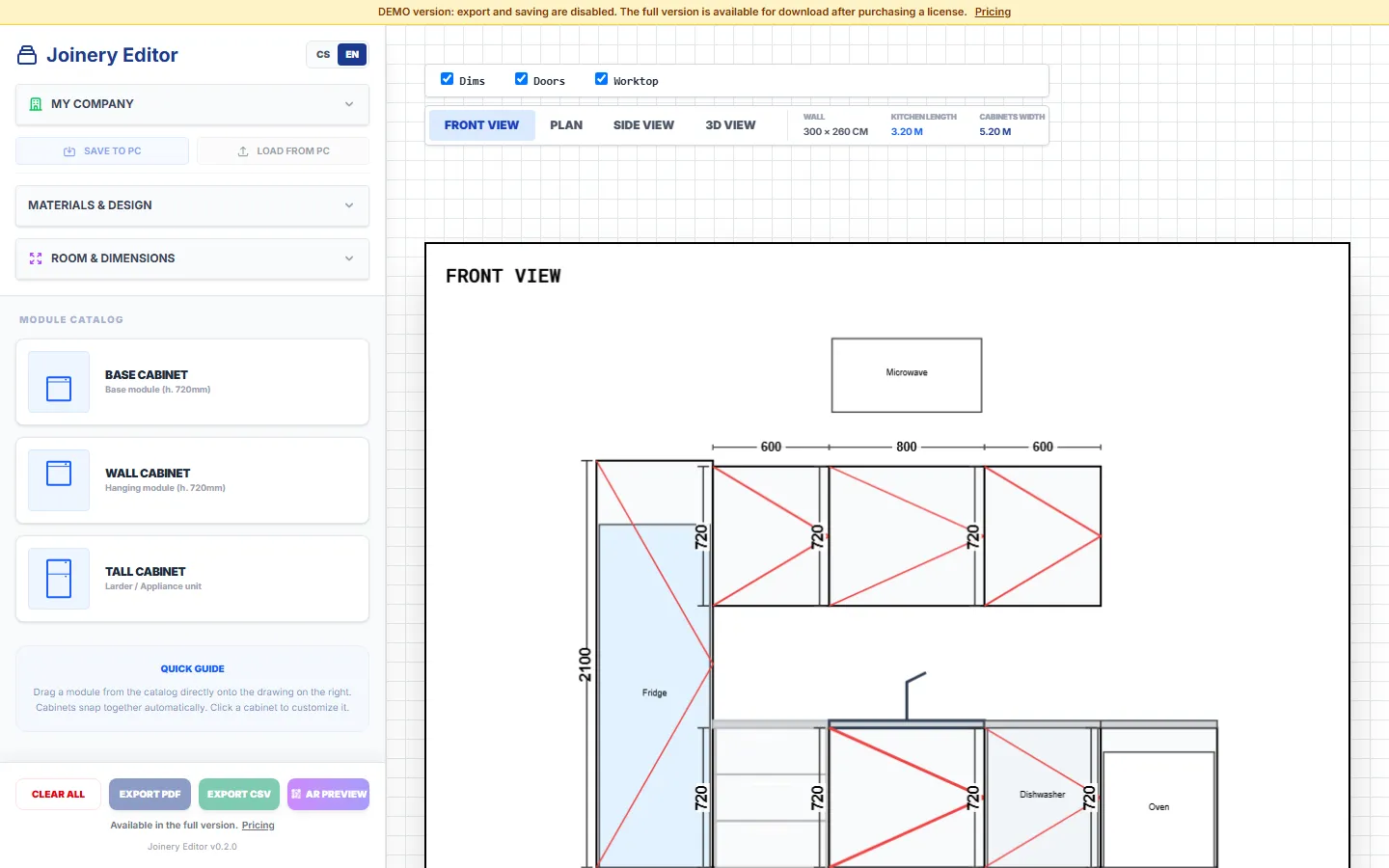
Drag base, wall, and tall cabinets directly onto the canvas. Modules snap together and dimensions adjust in a floating editor.
2D plan and 3D preview
Switch between front view, floor plan, section view, and real-time interactive 3D rendering.
Materials, plinths & hardware
Choose cabinet, door, and worktop decors, plinths, handles, and hardware (hinges and drawer runners).
Appliances & drawers
Built-in ovens, hobs, hoods, dishwashers, sinks, microwaves, fridges, and drawer units with custom heights.
Pricing from your own price list
Material and hardware prices calculate from your unit rates. Easily adjust sample prices to match your shop.
PDF reports & CSV cutlists
Generate clear multi-page PDF project summaries and accurate parts cutlists (CSV) for cutting services.
Save & load projects
Save projects to files on your computer and reload them anytime without losing your work.
Augmented reality (AR)
Export 3D models (GLB) with QR codes to view furniture at 1:1 scale directly in your space on mobile.
Czech & English interface
Full bilingual support across UI, drawings, pricing, and exports. Switch languages on the fly.
How it works
How furniture design works
Step 1
Assemble modules
Drag cabinets from the catalog, customize width, height, and depth, and place appliances.
Step 2
Configure decors & prices
Select material decors and hardware types, then set unit rates for board material and fittings.
Step 3
Export documentation
In the full version, export PDF quotes with drawings and pricing along with CSV cutlists.
Spatial preview
View from every angle in real 3D
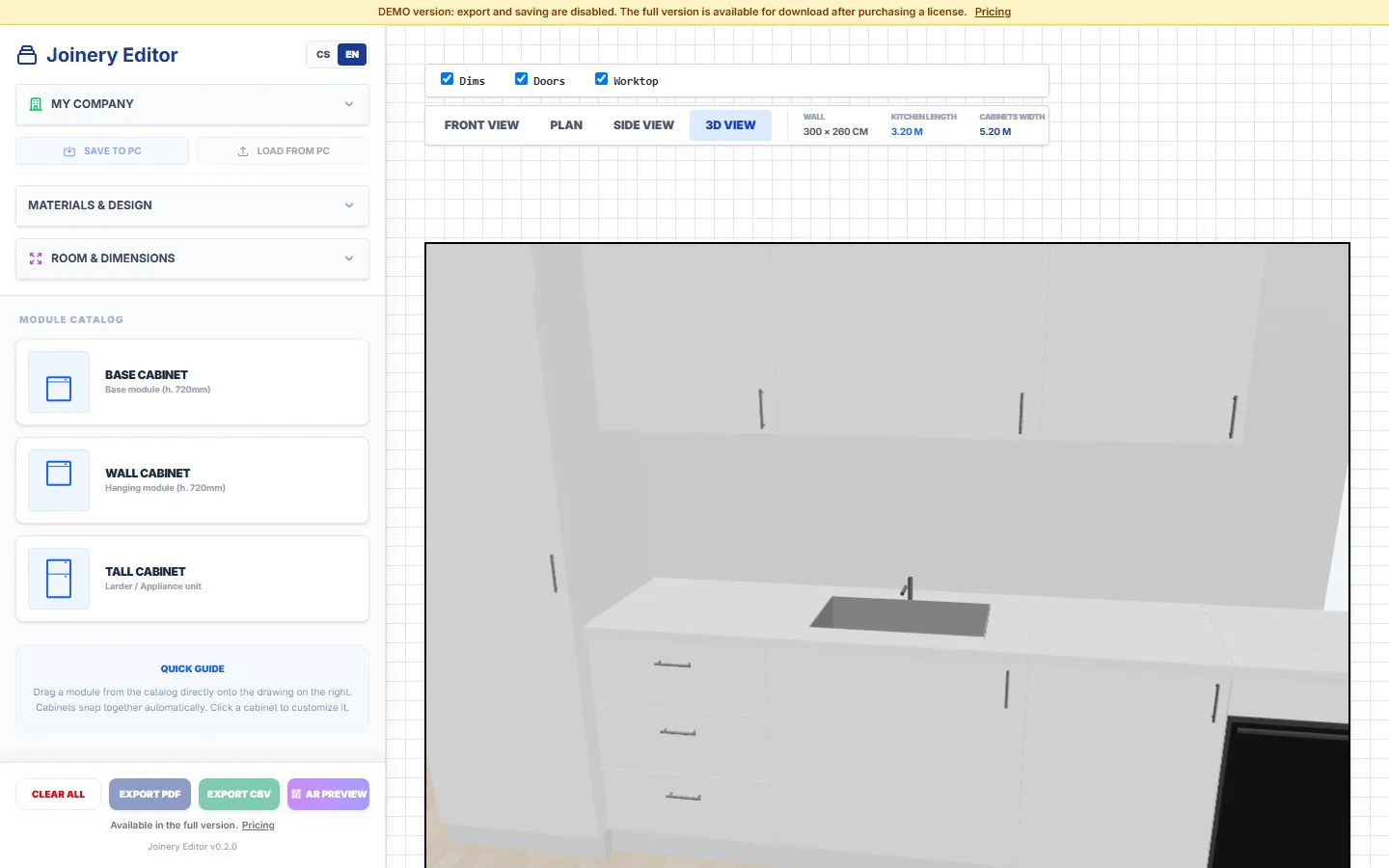
Switch from drawing to 3D space with a single click. Rotate the assembly, zoom in on details, and inspect the overall look.
- Smooth real-time orbit and zoom
- Faithful visualization of selected door, worktop, and handle decors
- Runs in your browser via WebGL with zero plugins required
Cost calculation
Pricing calculated from your unit rates
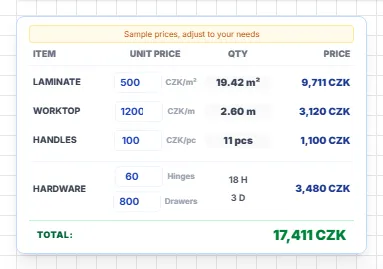
The calculation panel tracks board square meters, worktop length, and hardware counts in real time.
- Board consumption (m²), worktop linear meters, and plinths
- Accurate counts of handles, hinges, and drawer runners
- Ability to adjust unit prices for each item anytime
Version limits & system requirements
- Beta status (v0.2): the app is fully functional, but undergoing final testing and features may evolve.
- Local browser storage: data stays on your machine. In the full version, we recommend saving active projects to files (JSON).
- Augmented reality on mobile: GLB download works offline, mobile AR preview via QR code requires secure HTTPS hosting.
- Recommended browsers: Google Chrome or Microsoft Edge (Chromium-based) with WebGL support. Automated tests run in Chromium; other browsers have not been tested.
Try ViFo – Joinery Editor now
Launch the demo directly in your browser without installation and experience modular layout design.
Get notified about pricing & launch
Leave us your email and we will notify you when ViFo – Joinery Editor licenses go on sale. No spam, only launch updates.
Frequently asked questions about Editor
Is ViFo – Joinery Editor finished?
The application is in Beta (version 0.2). It is fully functional and available to test in demo mode, but undergoes further testing before commercial release and features may evolve.
What are the limits of the Editor demo?
In the demo, you can assemble modules, test 2D and 3D views, decors, and pricing. Saving and loading projects to disk and exports (PDF report, CSV cutlist, AR model) are disabled.
Where are my projects and data stored?
Data is processed entirely in your browser on your machine and is never sent to any server. In the full version, you can save your project to a file (JSON) and reload it at any time.
Does augmented reality (AR) work on mobile?
Viewing 3D models and GLB downloads work offline on desktop. Viewing augmented reality (AR) on a mobile phone requires the app to be served over secure HTTPS.
Which browsers are supported for the Editor?
We recommend modern Chromium-based browsers (Google Chrome or Microsoft Edge) with WebGL support. Automated tests run in Chromium; other browsers have not been tested.
How are licenses purchased and when will sales start?
[TO DO: payment method and license terms]
Find more answers on our Frequently Asked Questions.